This content requires the base game in order to play:
Borderlands 2
Game Description
System Requirements
Activation Details
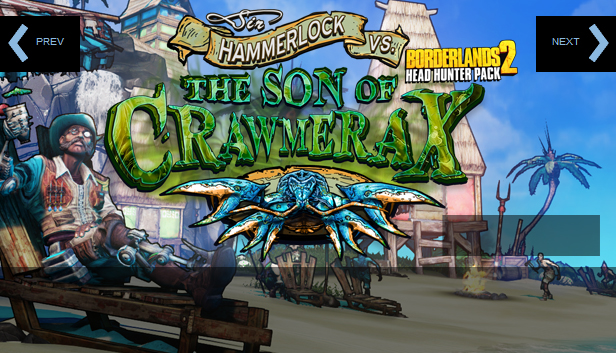
Taking off for Wam Bam Island for some relaxation? Mayhem catches up with the Vault Hunters when Sir Hammerlock gets kidnapped by the terrible Son of Crawmerax in this fifth and final Headhunter Pack - save him with the help of Crazy Earl and pick up some souvenir heads and skins along the way. But watch out, Sparky Flynt is looking to heat things up and give you more than a sun burn.
windows Minimum
OS: Windows® XP SP3
Processor: 2.4 GHz Dual Core Processor
Memory: 2 GB RAM
Graphics: NVIDIA GeForce 8500 /ATI Radeon HD 2600
Storage: 13 GB available space
Sound card: DirectX® 9.0c-compatible
Additional notes: Borderlands 2 Base Game Required to play
windows Recommended
OS: XP SP3/Vista/Win 7
Processor: 2.3 GHz Quad Core processor
Memory: 2 GB RAM
Graphics: NVIDIA GeForce GTX 560 / ATI Radeon HD 5850
Storage: 20 GB available space
Sound card: DirectX 9.0 c Compliant
Additional notes: Borderlands 2 Base Game Required to play
macosx Minimum
OS: 10.12 (Sierra)
Processor: 2.2 GHz Intel Core 2 Duo (Dual-Core)
Memory: 4 GB RAM
Graphics: ATI Radeon HD 2600 / NVidia Geforce 8800
Storage: 13 GB available space
Network: Broadband Internet connection
Additional notes: Borderlands 2 supports the Microsoft Xbox 360 wired gamepad, the PlayStation 3 Dualshock 3 Wireless Controller.
macosx Recommended
OS: 10.12 (Sierra)
Processor: 2.2GHz Intel Quad Core or better
Memory: 8 GB RAM
Graphics: ATI Radeon HD 5750 / NVidia Geforce 650M or better
Storage: 20 GB available space
Network: Broadband Internet connection
linux Minimum
OS: SteamOS, Ubuntu 14.04
Processor: Intel Core 2 Quad, AMD Phenom II X4
Memory: 4 GB RAM
Graphics: NVIDIA GeForce 260
Storage: 13 GB available space
Network: Broadband Internet connection
Additional notes: Don't meet the above requirements? That doesn't mean your configuration wont run Borderlands 2. Visit the Borderlands 2 community page to share your experience with other Linux players and learn about how to send bugs to Aspyr. Your feedback will help us
To activate the game, you need a Steam Account
Login or register at the official Steam Website and download Steam client
Install and start application, login with your Account name and Password
Click the Games Menu.
Choose Activate a Product on Steam...
Follow the onscreen instructions to complete the process
After the successful code verification, go to the "MY GAMES" tab and start downloading.
News & Updates
2026-04-21
From Wishlist to Courtroom: The Steam Lawsuits Explained
There have been numerous Steam court case lawsuits throughout the years and ever since the start of the year they have made the pile even bigger! We decided to check out some of the latest accusations against the popular gaming platform as well as go through some of the previous cases that caused a stir of Valve legal issues in the past! Gabe Newell and Valve have definitely not been strangers to the court system…
As you probably know, in a huge variety of game titles there are usually a lot of mainline task objectives, but very often there are multiple side quests that would advance you further in the gameplay. This is exactly why we decided to run a Side Quest promotion on our YUPLAY site. In order to participate in it you have to make an order over 20€ between 17.04.2026 18:10 CET and 20.04.2026 02:00 CET, and you will get a 1€ voucher for next purchase…