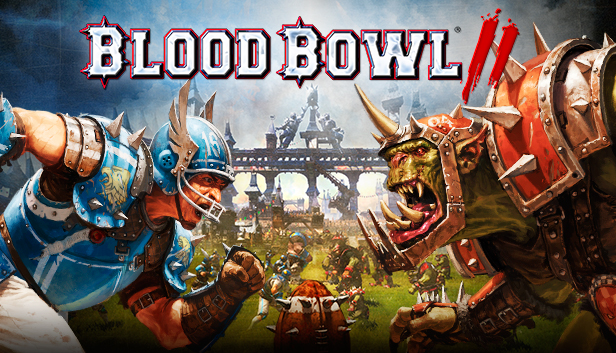
Blood Bowl 2 smashes Warhammer and American football together, in an explosive cocktail of turn-based strategy, humour and brutality, adapted from Games Workshop’s famous boardgame.
Blood Bowl 2’s new graphics engine and high-flying realization makes for a faithful portrayal of the fury and intensity of classic Blood Bowl matches. The solo game mode will have you lead the famous Reikland Reavers. Former star team of Blood Bowl you are tasked with bringing them back to glory, following a full story campaign supported by the hilarious commentators Jim & Bob from Cabalvision. Each match of the campaign is unique, with unexpected and surprising events constantly renewing the experience!
The multiplayer modes are bigger and richer than ever. In the persistent online mode, create and manage your own team comprised of one of eight races from the Warhammer world – Humans, Orcs, Dwarfs, Skaven, High Elves, Dark Elves, Chaos, and the Bretonnia newcomers. You will develop your team, gaining XP and unlocking new skills. But beware! On the pitch, all losses are permanent... Organize entirely customisable championships, from qualifications to finale, and use the new Transfer Market to buy and sell your players, and build your Blood Bowl dream-team!
The next generation of Blood Bowl touches down today, will YOU be the champion?
Graphics: 768 MB 100% DIRECTX 10 AND SHADERS 4.0 COMPATIBLE ATI RADEON HD 5670/NVIDIA GEFORCE GTX 260 OR HIGHER
Storage: 8 GB available space
Sound card: DIRECTX COMPATIBLE
Additional notes: INTERNET CONNECTION REQUIRED FOR THE GAME ACTIVATION *WINDOWS XP NOT SUPPORTED
macosx Minimum
OS: MAC OS X 10.10/MAC OS X 10.11
Processor: INTEL CORE I5 3 GHZ
Memory: 4096 MB RAM
Graphics: ATI RADEON HD 6970M/NVIDIA GEFORCE GT 650M OR HIGHER
Storage: 8 GB available space
Additional notes: INTERNET CONNECTION REQUIRED FOR ONLINE GAMING AND GAME ACTIVATION
To activate the game, you need a Steam Account
Login or register at the official Steam Website and download Steam client
Install and start application, login with your Account name and Password
Click the Games Menu.
Choose Activate a Product on Steam...
Follow the onscreen instructions to complete the process
After the successful code verification, go to the "MY GAMES" tab and start downloading.
News & Updates
2026-03-25
Does The Upcoming Silent Hill: Townfall Fit in The Series
In February there was another edition of the Silent Hill transmission showcase series hosted by KONAMI and we purposefully waited a bit before covering that one, since it was mainly concerned with the upcoming Silent Hill: Townfall release, in which the leading producer for the series Mr. Matoi Okamoto shed more light on the development and updates around the upcoming next game in the Silent Hill series.
Spring time always comes with a sense of freshness and revitalization, so we decided to take a risk make a special storewide promotion that would absolutely kill our profit (and probably get our boss angry). All you have to do to participate is make an order of at least 20€ between 17.03.2026 15:00 CET and 23.03.2026 15:00 CET, and you will get a FREE game coming straight out of our pockets…
This game's launcher/setup tool may require the touchscreen or virtual keyboard, or have difficult to read text
Some functionality is not accessible when using the default controller configuration, requiring use of the touchscreen or virtual keyboard, or a community configuration
This game sometimes shows mouse, keyboard, or non-Steam-Deck controller icons
Entering some text requires manually invoking the on-screen keyboard
Some in-game text is small and may be difficult to read
This game does not default to external Bluetooth/USB controllers on Deck, and may require manually switching the active controller via the Quick Access Menu
This game's default graphics configuration performs well on Steam Deck