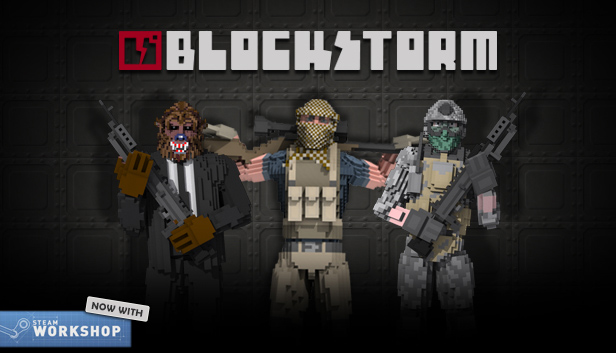
Blockstorm is a FPS game set in a world made of destructible blocks.
The voxel nature of characters and maps and the in-game editor allows you to fully customize your game and quickly share your experience with other players. You are free to create your own maps and characters from scratch or to customize existing ones.
All maps and characters included in the game are made with the same tools that are available to the public.
Weapons range from precise rifles to heavy machine guns or even explosives capable of destroying hiding places and creating tactical advantages. You can pick out your own load out, choosing between a set of weapons configured by the creator of the map.
You can build everything in Blockstorm, and you can destroy it.
Currently supported modes:
Deathmatch
Team Deathmatch
Assault
Constant updates Blockstorm is available on Early Access. This means that the game evolves as you play. Based on your feedback, we will update Blockstorm and add content.
2014 Indiegala s.r.l. - Blockstorm™ is a registered trademark of indiegala s.r.l.
windows Minimum
OS: Windows XP with SP2 or later
Processor: Intel Core 2 Duo
Memory: 2 GB RAM
Graphics: Nvidia Geforce 8600M GT
Storage: 200 MB available space
Directx: Version 9.0
Network: Broadband Internet connection
Additional notes: With the minimum configuration, disable dynamic shadows and effects
windows Recommended
OS: Windows 7
Processor: Intel Core i3
Memory: 4 GB RAM
Graphics: Nvidia Geforce GTX 550 ti
Storage: 512 MB available space
Directx: Version 9.0
Network: Broadband Internet connection
linux Recommended
OS: Ubuntu 12.10
Processor: Intel Core i3
Memory: 4 GB RAM
Graphics: Nvidia Geforce GTX 550 ti
Storage: 512 MB available space
Network: Broadband Internet connection
To activate the game, you need a Steam Account
Login or register at the official Steam Website and download Steam client
Install and start application, login with your Account name and Password
Click the Games Menu.
Choose Activate a Product on Steam...
Follow the onscreen instructions to complete the process
After the successful code verification, go to the "MY GAMES" tab and start downloading.
News & Updates
2026-03-30
Join the Easter Raid Party and Win a Free Game
The Easter season is here and since we like this part of the year so much, we have made sure to have prepared a special YUPLAY promotional campaign for those of you that are ready to go into the Raid Party and grab a FREE gaming title. All you have to do is make an order above 20€ between 02.04.2026 15:00 CET and 08.04.2026 15:00 CET, and you will get a FREE game as ab Easter present from us…
Early Spring season has definitely delivered on some exciting updates, game announcements, and promising releases to be on the lookout for until the end of this year. So, let’s immediately have a better look at some of the more outstanding news that happened on the gaming scene during the month of March 2026 that we decided to cover for you…
Some functionality is not accessible when using the default controller configuration, requiring use of the touchscreen or virtual keyboard, or a community configuration
This game does not default to external Bluetooth/USB controllers on Deck, and may require manually switching the active controller via the Quick Access Menu
This game shows Steam Deck controller icons
In-game interface text is legible on Steam Deck
This game's default graphics configuration performs well on Steam Deck