PC version includes the system voice feature for 7 characters which was sold separately for the console version.
Bonus content includes Special Original Soundtrack and BlazBlue Art Collection.
The bonus contents will be placed in your Steam folder: ..\Steam\SteamApps\common\BlazBlue Continuum Shift Extend\Digital Extras\
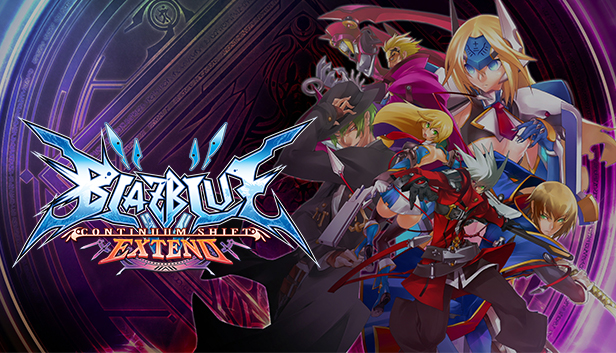
The second entry in the critically acclaimed BlazBlue franchise, BlazBlue: Continuum Shift Extend adds a number of game play modes, story scenarios, new moves, and an all-new playable character to further enhance the BlazBlue experience and solidify its status as one of the all-time great 2D fighters.
*Story*
Several years after the end of the Second War, multiple branches of the Librarium reputed to command a force as powerful as an entire nation’s army were suddenly and utterly destroyed. Inexplicably, the hidden cauldrons within each branch were also completely decimated. The few survivors spoke in hushed, shaken tones of a single man who had
appeared out of nowhere, cutting down all in his path.
Key features
- Expanded Character Roster: In addition to the downloadable characters offered for the previous entry in the series (Makoto, Valkenhyn, and Platinum the Trinity), EXTEND introduces Relius Clover, the mad puppeteer and Carl's father, as a playable character. Master a whole new way of fighting with Relius as he uses his marionette, Ignis, to turn the tide of battle.
- Enhanced Story Mode: Relive and rediscover the events that took place in BlazBlue: Calamity Trigger or venture forth into one of four all new story scenarios!
- New and Revised Game Modes: Take on the strongest of foes in Unlimited Mars Mode or fight your way to the bottom of Abyss Mode!
- Fully Revised Combat System: All characters, new and old, have been thoroughly rebalanced and armed with all new strategies and combos to take your game to the top!
- Improved Online Multiplayer: Battle it out in BlazBlue’s acclaimed online mode with all new multiplayer features, such as online team battles!
Login or register at the official Steam Website and download Steam client
Install and start application, login with your Account name and Password
Click the Games Menu.
Choose Activate a Product on Steam...
Follow the onscreen instructions to complete the process
After the successful code verification, go to the "MY GAMES" tab and start downloading.
News & Updates
2026-05-04
Monthly Recap - April Edition
For this month’s recap we decided to include stories about interesting upcoming events and gaming titles, as well as the sweeping wins for the indie title Clair Obscur: Expedition 33 at the BAFTA Games Awards and updates on the Tekken 8 world tour, as well as the discounted Xbox Game Pass Ultimate, so read on in order to find out more details and make use of it timely, so let’s dive into it right away…
30 Years of Fear: Celebrating the Legacy of Resident Evil
It has been 3 whole decades of zombie survival horror since the Resident Evil series started and we decided to cover the most recent developments in the CAPCOM masterpiece that is synonyms with all kinds of deadly and gory heart-stopping experiences that would make you chill every time you decide to partake in it! Originally titled Biohazard (in Japan), the Resident Evil franchise spans…