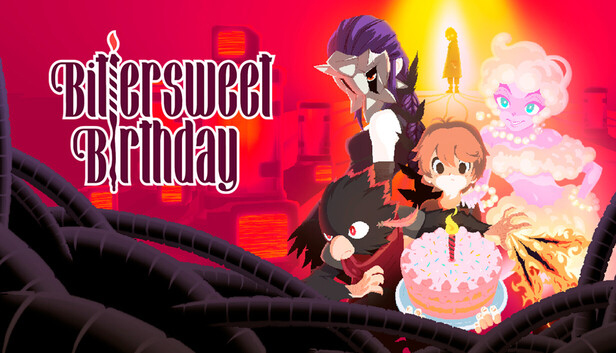
You awaken without memories, disoriented and alone, until a mysterious voice over a speaker offers you a way out. Hunted by unstable pursuers, your only chance at survival is to follow its cryptic guidance.
Along the way, you’ll piece together fragments of a past scarred by trauma, confront truths better left forgotten, and discover why the path forward leads to one unavoidable destination: your birthday.
Bittersweet Birthday is a story-driven action adventure where every battle is a boss fight, each one a unique, challenging test that blends “Souls-like precision” with bullet hell chaos. Survival means mastering enemy patterns, timing your dodges, and striking with precision in battles that demand both patience and nerve.
Outside combat, you’ll explore a bustling town, uncover secrets, complete side quests, and collect dispersed memories that can alter the level of challenge as you see fit. Packed with an eccentric cast of characters, nostalgic pixel art, quirky mini-games, and even collectible gachapon, Bittersweet Birthday offers a blend of punishing challenge and heartfelt charm unlike anything else.
Features
A story of mystery driven by endearing characters!
A lively village with friendly residents and interlocking quests ready to explore!
Punishing combat where reading the enemy is the key to victory!
A darts mini-game! Well, darts are being used, at least...
A Gachapon machine with 48 collectibles up for grabs!
Hand drawn pixel-art with beautifully designed backgrounds!
Fully re-mappable input and support for PlayStation, Xbox, and PC controllers!
Dog!
Copyright @ World Eater Games 2025, all rights reserved.
Graphics: Graphics card with full Vulkan 1.0 support
Storage: 2 GB available space
windows Recommended
OS: Windows 10
Processor: 2.0 GHz
Memory: 4 GB RAM
Graphics: Graphics card with full Vulkan 1.0 support
Storage: 2 GB available space
To activate the game, you need a Steam Account
Login or register at the official Steam Website and download Steam client
Install and start application, login with your Account name and Password
Click the Games Menu.
Choose Activate a Product on Steam...
Follow the onscreen instructions to complete the process
After the successful code verification, go to the "MY GAMES" tab and start downloading.
News & Updates
2026-03-30
Join the Easter Raid Party and Win a Free Game
The Easter season is here and since we like this part of the year so much, we have made sure to have prepared a special YUPLAY promotional campaign for those of you that are ready to go into the Raid Party and grab a FREE gaming title. All you have to do is make an order above 20€ between 02.04.2026 15:00 CET and 08.04.2026 15:00 CET, and you will get a FREE game as ab Easter present from us…
Early Spring season has definitely delivered on some exciting updates, game announcements, and promising releases to be on the lookout for until the end of this year. So, let’s immediately have a better look at some of the more outstanding news that happened on the gaming scene during the month of March 2026 that we decided to cover for you…
This game does not default to external Bluetooth/USB controllers on Deck, and may require manually switching the active controller via the Quick Access Menu
All functionality is accessible when using the default controller configuration
This game shows Steam Deck controller icons
In-game interface text is legible on Steam Deck
This game's default graphics configuration performs well on Steam Deck