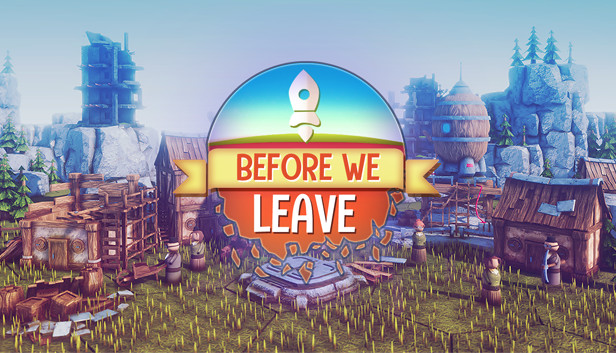
Rediscover what was lost and nurture your reborn civilisation in Before We Leave, a non-violent city building game set in a cozy corner of the universe. Grow, gather and manage resources to help your settlements thrive, and share goods between the hexagonal lands and planets around you. Relax and expand the fabric of your growing societies and create a solar system of happy planets at your own pace. Not everything will go your way, though - use your wits and research solutions to overcome the challenges that your ancestors once faced.
FEATURES
Build settlements for the newly emerged Peeps
Discover and research the ancient technologies around you
Manage resources, pollution and happiness to avoid the mistakes of your ancestors
Trade between your settlements by sea and by space
Explore six unique biomes on islands of all shapes and sizes
Protect the Peeps from ancient beings that guard the galaxy
THE STORY
Your Peeps have spent generations underground. They’ve missed the caress of sun on skin, the squelch of soil between toes, the tickle of flies on noses. They emerge, full of wonder, but with no idea how to grow anything - except potatoes. Start rebuilding their lost civilisation by providing shelter, uncovering ancient technology, and expanding this reborn society to other continents and planets.
But the universe is not safe. Ancient, ancestral guardians demand attention and challenge your settlements - it’s up to you to circumvent these creatures that hamper progress and disturb your newfound peace.
There are no weapons, no battles with neighbours for control of resources - just you, and a solar system full of opportunities.
Processor: Intel Core i5-4300U or AMD Phenom II X4 975
Memory: 4 GB RAM
Graphics: NVIDIA GeForce GTX 550 Ti or AMD Radeon HD 4890
Storage: 2 GB available space
Directx: Version 11
windows Recommended
OS: Windows 10 (64 bit only)
Processor: Intel Core i5-9400 or AMD Ryzen 5 3400G
Memory: 8 GB RAM
Graphics: NVIDIA Geforce GTX 970 or AMD Radeon RX 590
Storage: 2 GB available space
Directx: Version 11
To activate the game, you need a Steam Account
Login or register at the official Steam Website and download Steam client
Install and start application, login with your Account name and Password
Click the Games Menu.
Choose Activate a Product on Steam...
Follow the onscreen instructions to complete the process
After the successful code verification, go to the "MY GAMES" tab and start downloading.
News & Updates
2026-08-21
The Biggest Games to Steal the Show at Gamescom 2026
Gamescom 2026 is coming at the end of this month with more than 900 exhibitors and we just wanted to showcase some of the upcoming games in the AAA titles category that you should definitely check out! So, be sure to go through our shortlisted future release hits in most gaming genre types, as we get ready to once again explore the world of Gamescom…
ACE COMBAT 8 Could Be the Series’ Most Ambitious Entry
The upcoming Ace Combat 8: Wings of Theve marks a completely new chapter in the popular flight shooting series, by effectively blending cinematic storytelling with the thrills of aerial combat like never before. Developed by Bandai Namco Aces Inc., the game will build upon the decades of established expertise in order to further boost the series’ strong sides…
Some functionality is not accessible when using the default controller configuration, requiring use of the touchscreen or virtual keyboard, or a community configuration
This game sometimes shows mouse, keyboard, or non-Steam-Deck controller icons
Entering some text requires manually invoking the on-screen keyboard
Some in-game text is small and may be difficult to read
This game does not default to external Bluetooth/USB controllers on Deck, and may require manually switching the active controller via the Quick Access Menu
This game's default graphics configuration performs well on Steam Deck