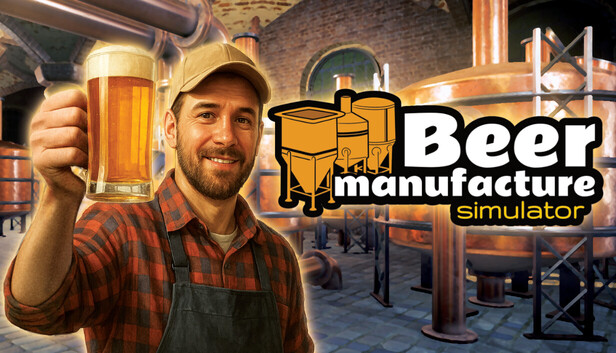
Start small with basic tools and a simple recipe, then expand step by step. Turn a passion for craft beer into a thriving business, managing every stage of the brewing process and transforming your tiny workshop into a bustling beer manufactory.
Brewing Process
Experience brewing like never before. Mash the grains, boil the hops, cool the wort, ferment the beer, and finally bottle or keg your creation. Each stage affects the final product, ensuring that patience, timing, and attention to detail really matter.
Variety of Styles and Ingredients
Discover recipes inspired by real-world beer traditions, from light lagers and IPAs to rich stouts and experimental hybrids. Choose from diverse ingredients, balance flavors, and aim for the perfect taste - or produce on a massive industrial scale!
Create Unique Recipes and Experiment
Go beyond tradition and create your own signature beers. Add rare ingredients, test bold combinations, and satisfy every customer’s palate. Whether you cater to "connoisseurs" or focus on efficiency, every recipe brings new possibilities.
Expand, Automate, and Relax
Grow your brewery with larger, advanced kettles and automated systems. Manage resources, optimize production, and ship orders worldwide. After a long day of brewing and balancing machines, take a sip of your own beer - but watch out, it might surprise you!
windows Minimum
OS: Windows 10
Processor: Intel Core i5-9400F lub AMD Ryzen 5 3600
Additional notes: Recommend installation on an SSD drive
windows Recommended
OS: Windows 10
Processor: Intel Core i5 3.4 GHz
Memory: 16 GB RAM
Graphics: Intel Arc 580, GTX 1660 Ti
Storage: 12 GB available space
Directx: Version 12
Additional notes: Recommend installation on an SSD drive
To activate the game, you need a Steam Account
Login or register at the official Steam Website and download Steam client
Install and start application, login with your Account name and Password
Click the Games Menu.
Choose Activate a Product on Steam...
Follow the onscreen instructions to complete the process
After the successful code verification, go to the "MY GAMES" tab and start downloading.
News & Updates
2026-09-02
Get 50 Extra YXP for a Limited Time
Ready to level up your YUPLAY Loyalty progress? The YXP Extra Event is back, giving you another chance to earn 50 bonus YXP with every qualifying order. Spend at least €10 between 02.09.2026 15:00 CET and 07.09.2026 15:00 CET and get an extra 50 YXP on top of your regular Loyalty Program rewards!
ACE COMBAT 8 Could Be the Series’ Most Ambitious Entry
The upcoming Ace Combat 8: Wings of Theve marks a completely new chapter in the popular flight shooting series, by effectively blending cinematic storytelling with the thrills of aerial combat like never before. Developed by Bandai Namco Aces Inc., the game will build upon the decades of established expertise in order to further boost the series’ strong sides…
Some functionality is not accessible when using the default controller configuration, requiring use of the touchscreen or virtual keyboard, or a community configuration
This game sometimes shows mouse, keyboard, or non-Steam-Deck controller icons
Some in-game text is small and may be difficult to read
This game's default graphics configuration performs well on Steam Deck