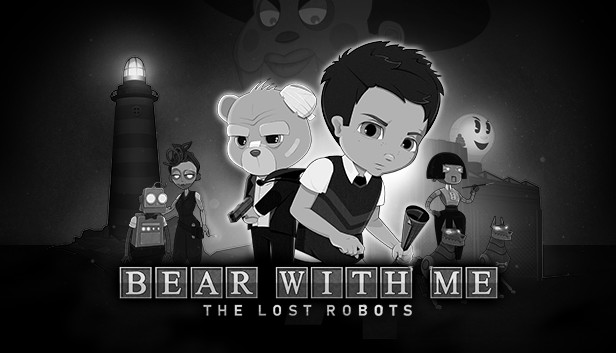
The noir episodic point and click adventure series Bear With Me is back! Introducing Bear With Me: The Lost Robots – an all new prequel chapter featuring Amber’s brother Flint and the callous detective Ted E. Bear.
Take to the gritty and bustling undergrounds of Paper City, discovering new characters and rich lore leading up to the events of the first three episodes of Bear With Me.
Dark interrogations, sarcastic banter, and challenging puzzles lie in store for our heroes as they collect clues to solve a bigger, more sinister mystery. Featuring an evocative soundtrack, expansive narrative and a uniquely drawn 2D animated art-style accented by an impressive film noir style, Bear With Me will take players through an emotional rollercoaster of a journey that will determine the fates of our protagonists.
KEY FEATURES
A Classic Genre Reimagined.
Discover a distinct spin on the timeless point and click adventure formula in this modern indie adventure. Solve puzzles, interrogate suspects, and explore crime scenes in search of answers.
An Engaging Story.
Bear With Me presents a unique fusion of comedy, horror, and mystery elements that elevate a thrilling narrative that spans across a four-episode journey.
Fully Interactable Environments.
Explore the expansive Paper City to collect clues about this grand mystery. Players are free to tackle and revisit unsolved puzzles at their own pace to piece together vital bits of information to crack the case.
Memorable Characters.
From the cool and quotable Ted E. Bear to the optimistic Amber, communicate with a diverse cast of fully voiced characters that may help or hinder our protagonists in their unrelenting pursuit of the truth.
Processor: SSE2 instruction set support, generally everything made since 2010 should work
Memory: 2 GB RAM
Graphics: DX10 (shader model 4.0) capabilities; generally everything made since 2010 should work
Storage: 4 GB available space
Directx: Version 9.0
To activate the game, you need a Steam Account
Login or register at the official Steam Website and download Steam client
Install and start application, login with your Account name and Password
Click the Games Menu.
Choose Activate a Product on Steam...
Follow the onscreen instructions to complete the process
After the successful code verification, go to the "MY GAMES" tab and start downloading.
News & Updates
2026-09-02
Get 50 Extra YXP for a Limited Time
Ready to level up your YUPLAY Loyalty progress? The YXP Extra Event is back, giving you another chance to earn 50 bonus YXP with every qualifying order. Spend at least €10 between 02.09.2026 15:00 CET and 07.09.2026 15:00 CET and get an extra 50 YXP on top of your regular Loyalty Program rewards!
ACE COMBAT 8 Could Be the Series’ Most Ambitious Entry
The upcoming Ace Combat 8: Wings of Theve marks a completely new chapter in the popular flight shooting series, by effectively blending cinematic storytelling with the thrills of aerial combat like never before. Developed by Bandai Namco Aces Inc., the game will build upon the decades of established expertise in order to further boost the series’ strong sides…