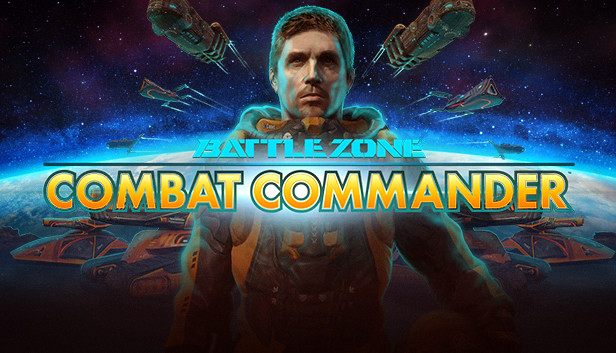
Once arch enemies, the US and Russia abandon their space race and unite their forces in the face of impending alien attack. Combining to form the elite International Space Defence Force, they recruit you to help lead resistance, before total devastation is unleashed on the human race.
The solar system is at war. Take command.
Battlezone: Combat Commander is back, and looking better than ever with slicker visuals, brand new achievements, Steam Workshop support and more!
Fight across 24 intense missions, over 6 exotic living worlds, scavenging the battlefield for crucial bio-metal used to create powerful units, towering defenses, and vital facilities.
COMMAND A BATTALION
Control of over 30 unique unit types, from lethal tanks and tough ground units, to towering walkers and relentless air-support, and face off against the enemy in intense first-person combat.
ADVANCED AI
Units learn and improve as they gain combat experience - new units fight like recruits, while experienced units are a lot more effective in combat, using strafing manoeuvres, choosing weapons to suit the situation, or even retreating when necessary.
REMASTERED VISUALS
Experience Battlezone: Combat Commander like never before, with an all new DX11 renderer, shader based rendering, and a completely retextured and upscaled terrain.
GO HEAD TO HEAD
Invite your friends for a cross-play multiplayer experience, including the classic Deathmatch mode, and a co-operative mode ‘MPI’ where players must work together to win by managing their offence, defence, and scrap collection.
MOD SUPPORT
Enjoy unique community generated content with support for mods, such as new singleplayer and multiplayer map mods, new vehicles, HUDs, assets, custom scripts and much more.
OS: 64-bit Windows 7, 64-bit Windows 8.1 or 64-bit Windows 10
Processor: 3.0 GHz Intel Core2 Duo/AMD Phenom II
Memory: 4 GB RAM
Graphics: DirectX® 11.0 compatible graphics card with 1GB of memory
Storage: 10 GB available space
Directx: Version 11
To activate the game, you need a Steam Account
Login or register at the official Steam Website and download Steam client
Install and start application, login with your Account name and Password
Click the Games Menu.
Choose Activate a Product on Steam...
Follow the onscreen instructions to complete the process
After the successful code verification, go to the "MY GAMES" tab and start downloading.
News & Updates
2026-03-30
Monthly Recap - March Edition
Early Spring season has definitely delivered on some exciting updates, game announcements, and promising releases to be on the lookout for until the end of this year. So, let’s immediately have a better look at some of the more outstanding news that happened on the gaming scene during the month of March 2026 that we decided to cover for you…
Does The Upcoming Silent Hill: Townfall Fit in The Series
In February there was another edition of the Silent Hill transmission showcase series hosted by KONAMI and we purposefully waited a bit before covering that one, since it was mainly concerned with the upcoming Silent Hill: Townfall release, in which the leading producer for the series Mr. Matoi Okamoto shed more light on the development and updates around the upcoming next game in the Silent Hill series.