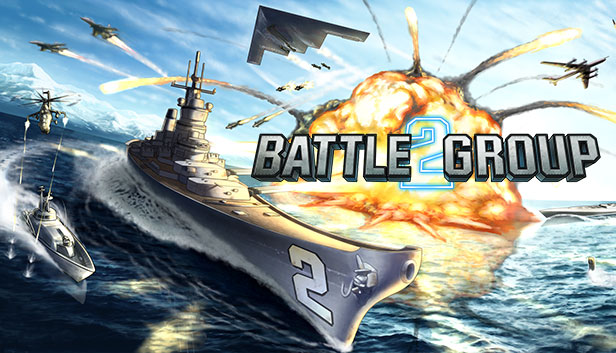
Battle Group 2 puts you in command of advanced naval fleets to conquer a deadly global foe. Use your ships’ powerful weaponry combined with supporting satellite strikes to defeat your enemies.
Set in the near future, a force that calls itself ‘The Talon’ seeks revenge for an unknown crime, stealing the latest military equipment and spreading destruction throughout the world. You are the last Battle Group tasked to stop the Talon and whatever fight they bring your way.
Key Features
Eight new playable ships
All created from the real life blueprints with the appropriate matching aircrafts and speeds relative to real life. Missile types are modelled to match each aircraft.
New satellite strikes!
Now you can launch devastating nukes, deploy disabling EMP blasts, and trigger battle-changing Hyper-Time (slow-motion). Satellites can also now be reloaded.
Over 30+ new campaign levels including boss battles!
Levels are procedurally generated so they are different every time you play.
Three new theatres of war
Adapt your warfare strategy to fight in different environments including the Artic, the jungle and industrial arenas. Plus new night vision mode for intense nighttime battles.
All new ultra HD graphics
See the world rendered in incredible detail, coupled with a totally new menu system with satellite interface.
Future Content
Different captain's abilities
Extended story and levels
windows Minimum
OS: Windows XP / Vista / 7 / 8
Processor: 2.4 GHz or equivalent processor
Memory: 2 GB RAM
Graphics: 500 MB Video RAM and at least Shader Model 2.0
Storage: 900 MB available space
Directx: Version 9.0c
Sound card: Windows compatible sound card
macosx Minimum
OS: Mac OS X 10.6 or later
Processor: Intel Only
Memory: 2 GB RAM
Graphics: 500 MB Video RAM and at least Shader Model 2.0
Storage: 900 MB available space
Sound card: Any
linux Minimum
OS: Ubuntu 12.04 or later
Processor: 2.4 GHz or equivalent processor
Memory: 2 GB RAM
Graphics: 500 MB Video RAM and at least Shader Model 2.0
Storage: 900 MB available space
To activate the game, you need a Steam Account
Login or register at the official Steam Website and download Steam client
Install and start application, login with your Account name and Password
Click the Games Menu.
Choose Activate a Product on Steam...
Follow the onscreen instructions to complete the process
After the successful code verification, go to the "MY GAMES" tab and start downloading.
News & Updates
2026-06-11
Celebrate FIFA World Cup 2026 with YUPLAY
The FIFA World Cup 2026 is coming in hot this summer and while these coming weeks it is all going to be centered around the best game in the world of sports, we decided to bring you a dedicated YUPLAY giveaway to commemorate the occasion together! This promotional giveaway campaign invites all of our followers to try and predict the exact final scores of selected matches from the World Cup…
First V-Bucks, Now Steam Decks: Why Gaming is Getting More Expensive
Has gaming been steadily becoming more and more expensive lately? In the past months and quarters there has definitely been an increase in pricing in both the software and hardware departments of gaming and this trend has definitely stricken the market in more than a couple of ways. The industry has experienced a trend of gaming price increases as well as more expensive subscriptions…