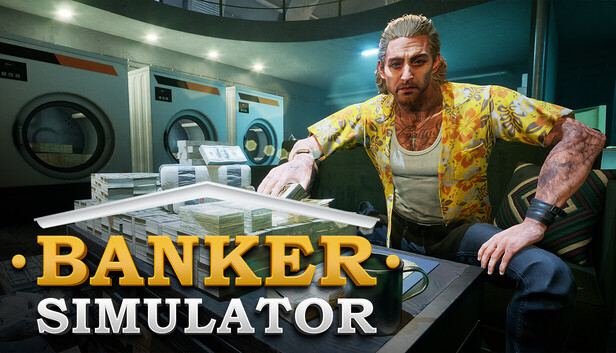
Banker Simulator - Are You Ready to Explore the Challenges of the Financial World?
Take over a bankrupt bank and strive to bring it back to life. Make decisions to improve customer satisfaction, make strategic investments, and overcome financial crises. Manage risks, grow your bank, and solidify your position in the industry. In this exciting simulation game, become both a financial expert and a master strategist!
Main Features
REALISTIC MONEY PRINTING SYSTEM
Big rewards come with big risks! Expand your bank’s influence by printing counterfeit money and laundering it without getting caught.
ID VERIFICATION & FRAUD DETECTION
Not every client is trustworthy! Conduct identity checks, detect fake documents, and safeguard your bank’s reputation.
LIVE THE HIGH LIFE – SPEND, INVEST, AND RISE TO THE TOP!
Banking is just the beginning! Use your wealth to enjoy a luxurious lifestyle, invest in profitable ventures, and establish your status.
CUSTOMER SATISFACTION & BANK MANAGEMENT
A successful bank is built on trust! Offer top-tier financial services, negotiate deals, and maintain a loyal client base.
CASH HANDLING & TELLER OPERATIONS
Manage large amounts of cash and ensure seamless banking transactions. Every bill counts!
Key Features in the Game:
Counterfeit Money Printing
Vault Rental
Currency Exchange Operations
Identity Verification
Money Counting Mechanism
Security System
Credit Card System
Vehicle-Based Money Transfers
Loan System
Recruitment
ADD TO WISHLIST NOW!
There’s no limit to how much money you can make! Take control of the financial world, build your banking empire, and rise to the top. Don’t miss out on this immersive banking experience – add Banker Simulator to your Steam Wishlist now and be among the first to play!
windows Minimum
OS: Windows (64-bit) 10
Processor: Intel Core i5-3470 / AMD FX 4350
Memory: 6 GB RAM
Graphics: NVIDIA GTX 1050
Storage: 6 GB available space
windows Recommended
OS: Windows (64-bit) 10
Processor: Intel Core i5-6500 @ 3,2 GHz (4 CPUs)
Memory: 16 GB RAM
Graphics: NVidia GeForce GTX 1060
Storage: 6 GB available space
To activate the game, you need a Steam Account
Login or register at the official Steam Website and download Steam client
Install and start application, login with your Account name and Password
Click the Games Menu.
Choose Activate a Product on Steam...
Follow the onscreen instructions to complete the process
After the successful code verification, go to the "MY GAMES" tab and start downloading.
News & Updates
2026-09-02
Get 50 Extra YXP for a Limited Time
Ready to level up your YUPLAY Loyalty progress? The YXP Extra Event is back, giving you another chance to earn 50 bonus YXP with every qualifying order. Spend at least €10 between 02.09.2026 15:00 CET and 07.09.2026 15:00 CET and get an extra 50 YXP on top of your regular Loyalty Program rewards!
ACE COMBAT 8 Could Be the Series’ Most Ambitious Entry
The upcoming Ace Combat 8: Wings of Theve marks a completely new chapter in the popular flight shooting series, by effectively blending cinematic storytelling with the thrills of aerial combat like never before. Developed by Bandai Namco Aces Inc., the game will build upon the decades of established expertise in order to further boost the series’ strong sides…
Some functionality is not accessible when using the default controller configuration, requiring use of the touchscreen or virtual keyboard, or a community configuration
This game sometimes shows mouse, keyboard, or non-Steam-Deck controller icons
Entering some text requires manually invoking the on-screen keyboard
Some in-game text is small and may be difficult to read
This game's default graphics configuration performs well on Steam Deck