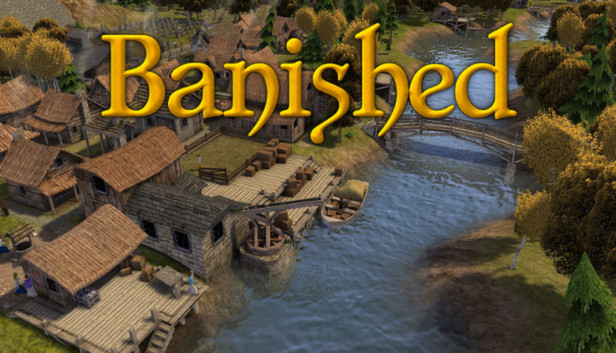
In this city-building strategy game, you control a group of exiled travelers who decide to restart their lives in a new land. They have only the clothes on their backs and a cart filled with supplies from their homeland.
The townspeople of Banished are your primary resource. They are born, grow older, work, have children of their own, and eventually die. Keeping them healthy, happy, and well-fed are essential to making your town grow. Building new homes is not enough—there must be enough people to move in and have families of their own.
Banished has no skill trees. Any structure can be built at any time, provided that your people have collected the resources to do so. There is no money. Instead, your hard-earned resources can be bartered away with the arrival of trade vessels. These merchants are the key to adding livestock and annual crops to the townspeople’s diet; however, their lengthy trade route comes with the risk of bringing illnesses from abroad.
There are twenty different occupations that the people in the city can perform from farming, hunting, and blacksmithing, to mining, teaching, and healing. No single strategy will succeed for every town. Some resources may be more scarce from one map to the next. The player can choose to replant forests, mine for iron, and quarry for rock, but all these choices require setting aside space into which you cannot expand.
The success or failure of a town depends on the appropriate management of risks and resources.
Graphics: 512 MB DirectX 9.0c compatible card (shader model 2)
Storage: 250 MB available space
Directx: Version 9.0c
Sound card: Any
windows Recommended
OS: Windows 7 / Windows 8
Processor: Intel Core i5 processor (or greater)
Memory: 512 MB RAM
Graphics: 512 MB DirectX 10 compatible card
Storage: 250 MB available space
Directx: Version 11
Sound card: Any
To activate the game, you need a Steam Account
Login or register at the official Steam Website and download Steam client
Install and start application, login with your Account name and Password
Click the Games Menu.
Choose Activate a Product on Steam...
Follow the onscreen instructions to complete the process
After the successful code verification, go to the "MY GAMES" tab and start downloading.
News & Updates
2026-06-11
Celebrate FIFA World Cup 2026 with YUPLAY
The FIFA World Cup 2026 is coming in hot this summer and while these coming weeks it is all going to be centered around the best game in the world of sports, we decided to bring you a dedicated YUPLAY giveaway to commemorate the occasion together! This promotional giveaway campaign invites all of our followers to try and predict the exact final scores of selected matches from the World Cup…
First V-Bucks, Now Steam Decks: Why Gaming is Getting More Expensive
Has gaming been steadily becoming more and more expensive lately? In the past months and quarters there has definitely been an increase in pricing in both the software and hardware departments of gaming and this trend has definitely stricken the market in more than a couple of ways. The industry has experienced a trend of gaming price increases as well as more expensive subscriptions…
This game's launcher/setup tool may require the touchscreen or virtual keyboard, or have difficult to read text
This game sometimes shows mouse, keyboard, or non-Steam-Deck controller icons
Entering some text requires manually invoking the on-screen keyboard
Some in-game text is small and may be difficult to read
This game does not default to external Bluetooth/USB controllers on Deck, and may require manually switching the active controller via the Quick Access Menu
All functionality is accessible when using the default controller configuration
This game's default graphics configuration performs well on Steam Deck