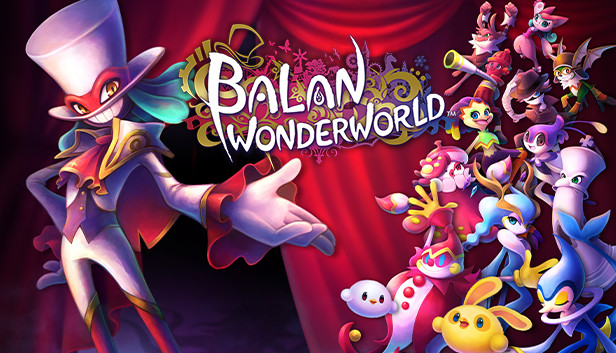
BALAN WONDERWORLD is a wondrous action platformer game themed around the Balan Theatre. Led by the enigmatic maestro named Balan, the stars of the show, Emma and Leo, will use special abilities from a multitude of characterful costumes as they adventure in the bizarre and imaginary land of Wonderworld. Here, memories and vistas from the real world mix with the things that people hold dear.
Explore Twelve Different Tales
Twelve different tales await our stars in the Wonderworld, each with their own unique quirks. They will explore all corners of these labyrinthine stages, filled with a myriad of tricks and traps, to get to the heart of each story.
Wonderworld: A Land of Hearts and Imagination
The setting for this tale is the fantastic, bizarre land of Wonderworld; a place where people's happy and positive memories mix with their restless worries and negativity.
Leo and Emma are led into Wonderworld by the mysterious clown Balan and set off on a journey to find what is important to them. Before they can return to the real world, they must first restore the lost balance in their hearts...
Over 80 Different Costumes for Endless Action!
The stars of the show can use powers from the inhabitants of Wonderworld by wearing their colourful costumes, with over 80 different ones to try on!
Bash your enemies, walk in the air, freeze time, or manipulate all kinds of objects... the possibilities are endless when you pick up a new costume.
Two Legendary Creators Reunite!
Come one, come all and enjoy the pinnacle of Square Enix storytelling in an all-action world of wonder created by the legendary Naka Yuji.
For the first time in 20 years, Naka Yuji and Oshima Naoto join forces, forming the BALAN COMPANY team, bringing together action game development, video, and music production professionals from both inside and outside of the company.
2-Player Local Co-op Mode
Enjoy an even more wondrous adventure as one player controls Leo and the other controls Emma in 2 Player Co-op Local Mode. Co-operate together by combining the abilities of two different costumes, opening new paths as you wander through Wonderworld!
Additional notes: 1920x1080 @ 60FPS (High Quality Settings). Local Co-Op requires two controllers.
To activate the game, you need a Steam Account
Login or register at the official Steam Website and download Steam client
Install and start application, login with your Account name and Password
Click the Games Menu.
Choose Activate a Product on Steam...
Follow the onscreen instructions to complete the process
After the successful code verification, go to the "MY GAMES" tab and start downloading.
News & Updates
2026-08-21
The Biggest Games to Steal the Show at Gamescom 2026
Gamescom 2026 is coming at the end of this month with more than 900 exhibitors and we just wanted to showcase some of the upcoming games in the AAA titles category that you should definitely check out! So, be sure to go through our shortlisted future release hits in most gaming genre types, as we get ready to once again explore the world of Gamescom…
ACE COMBAT 8 Could Be the Series’ Most Ambitious Entry
The upcoming Ace Combat 8: Wings of Theve marks a completely new chapter in the popular flight shooting series, by effectively blending cinematic storytelling with the thrills of aerial combat like never before. Developed by Bandai Namco Aces Inc., the game will build upon the decades of established expertise in order to further boost the series’ strong sides…
This game does not default to external Bluetooth/USB controllers on Deck, and may require manually switching the active controller via the Quick Access Menu
This game's first-time setup requires an active Internet connection
Singleplayer gameplay requires an active Internet connection
All functionality is accessible when using the default controller configuration
This game shows Steam Deck controller icons
In-game interface text is legible on Steam Deck
This game's default graphics configuration performs well on Steam Deck