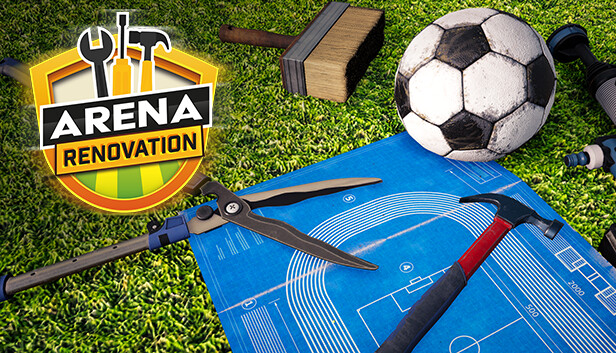
In Arena Renovation, you take on the role of a one-man renovation team tasked with restoring various sports facilities to their former glory. Many of them have been destroyed as a result of time or lack of care. Don't let them go into complete oblivion - roll up your sleeves and breathe new life into them!
In the Early Access game is very playable in terms of mechanics and performance, offering lots of entertainment. Nothing important is missing, but in future there will be more sport facilities, shop items and mechanics that will make game more attractive. You can always check our prologue "Arena Renovation - First Job" and check if you like it.
The game offers a variety of tasks such as painting walls, renovating floors, replacing broken chairs, repairing electrical wiring, etc. In addition, you can fill each arena with hundreds of different items that are waiting for you in the game. Each of the tasks requires different skills and tools, so the player must use their knowledge and experience to carefully assess the needs of the facility and adjust their actions.
Arena Renovation is an addictive game that requires accuracy, skill and patience. This is a game for people who enjoy designing, renovating and bringing dilapidated objects back to life. The game offers many challenges and tasks that require creativity, manual dexterity and budget planning, which makes it a great game for people who like to combine fun with learning practical skills.
windows Minimum
OS: Windows 10
Processor: Intel Core i5
Memory: 8 GB RAM
Graphics: GeForce GTX 1050
Storage: 11 GB available space
windows Recommended
OS: Windows 10
Processor: Intel Core i7
Memory: 16 GB RAM
Graphics: GeForce RTX 2060
Storage: 11 GB available space
To activate the game, you need a Steam Account
Login or register at the official Steam Website and download Steam client
Install and start application, login with your Account name and Password
Click the Games Menu.
Choose Activate a Product on Steam...
Follow the onscreen instructions to complete the process
After the successful code verification, go to the "MY GAMES" tab and start downloading.
News & Updates
2026-09-02
Get 50 Extra YXP for a Limited Time
Ready to level up your YUPLAY Loyalty progress? The YXP Extra Event is back, giving you another chance to earn 50 bonus YXP with every qualifying order. Spend at least €10 between 02.09.2026 15:00 CET and 07.09.2026 15:00 CET and get an extra 50 YXP on top of your regular Loyalty Program rewards!
ACE COMBAT 8 Could Be the Series’ Most Ambitious Entry
The upcoming Ace Combat 8: Wings of Theve marks a completely new chapter in the popular flight shooting series, by effectively blending cinematic storytelling with the thrills of aerial combat like never before. Developed by Bandai Namco Aces Inc., the game will build upon the decades of established expertise in order to further boost the series’ strong sides…
Some functionality is not accessible when using the default controller configuration, requiring use of the touchscreen or virtual keyboard, or a community configuration
This game sometimes shows mouse, keyboard, or non-Steam-Deck controller icons
Entering some text requires manually invoking the on-screen keyboard
Some in-game text is small and may be difficult to read
This game's default graphics configuration performs well on Steam Deck