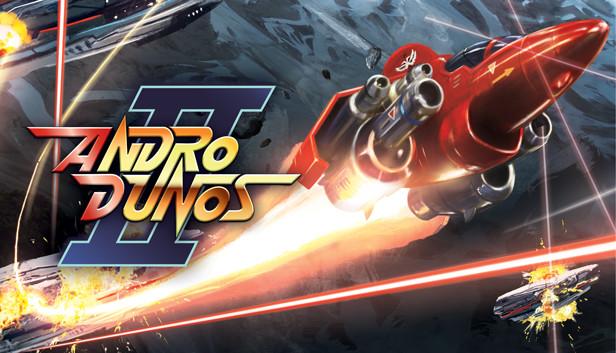
The sequel of the famous Shoot'em up from the Visco studio is back, 30 years after the first opus, released exclusively on Neo-Geo MVS and Neo-Geo AES in 1992 . It's time to bring out your good old battle ship in ANDRO DUNOS 2!
Andro Dunos (アンドロデュノス, in Japanese) is a horizontal scrolling arcade game of the shoot 'em up (shmup) family.
Features
The direct sequel to one of the most famous shmup from 1990s : Andro Dunos!
An epic side-scrolling space journey awaits you in Andro Dunos 2!
Fight and explode hundred of spaceships thanks to various weapons such as laser, hawk... or even homing missiles!
Recover power ups by killing enemies.
Music composed by Allister Brimble (Alien Breed, Body Blows, Project-X, Colonization, Driver or Superfrog).
windows Minimum
OS: Windows 7/8/10
Processor: i3 or better
Memory: 512 MB RAM
Graphics: GTX 660 or better
Storage: 530 MB available space
Directx: Version 10
To activate the game, you need a Steam Account
Login or register at the official Steam Website and download Steam client
Install and start application, login with your Account name and Password
Click the Games Menu.
Choose Activate a Product on Steam...
Follow the onscreen instructions to complete the process
After the successful code verification, go to the "MY GAMES" tab and start downloading.
News & Updates
2026-11-06
Win GTA VI for PS5 with YUPLAY
Want to get your hands on GTA VI for PS5? We're giving one lucky winner the chance to win a copy of Grand Theft Auto VI. Head over to our X giveaway, follow YUPLAY, repost, and leave a comment for your chance to win.
This game's launcher/setup tool may require the touchscreen or virtual keyboard, or have difficult to read text
Some functionality is not accessible when using the default controller configuration, requiring use of the touchscreen or virtual keyboard, or a community configuration
This game sometimes shows mouse, keyboard, or non-Steam-Deck controller icons
In-game interface text is legible on Steam Deck
This game's default graphics configuration performs well on Steam Deck