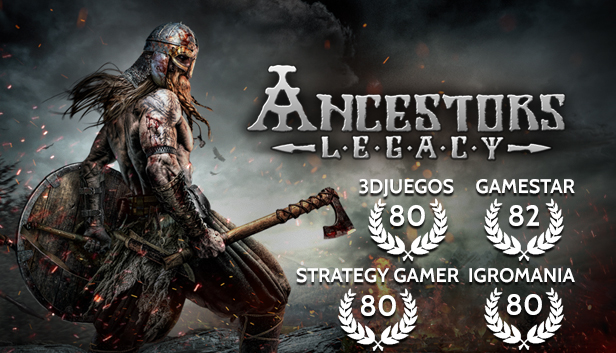
Take command of your army as you storm through medieval Europe in an extensive series of campaigns. Choosing one of the four available nations – Viking, Anglo-Saxon, German, Slav – you will be tasked with more than just conquering, raiding and pillaging enemy camps, villages and towns. Only by utilizing the full range of available tactical options, taking strategic advantage of the environment, and managing your temporary bases and settlements, will you emerge victorious.
Ancestors Legacy is a historically accurate real-time strategy game influenced by historical events in the Middle Ages. The game combines resource management and base building with large-scale, squad-based battles across vast battlefields, all rendered in great detail thanks to the Unreal Engine 4 tech. Experience medieval bloodshed like never before, thanks to the cinematic action camera that puts you right in the middle of the battle at the press of a button.
Features
4 playable nations in an extensive single player campaign inspired by historical events
Advanced tactical options combining the use of terrain, experience and morale
Cinematic battle camera view puts you right in the center of the action
Outstanding visual fidelity powered by Unreal Engine 4
Intense multiplayer battles
Streamlined resource management and village construction
Processor: AMD Octa-Core / Intel Quad-Core processor running at 3.4 GHz (AMD FX X8 8350 or Intel Core i5 3570 or newer architectures are recommended)
Memory: 8 GB RAM
Graphics: AMD/NVIDIA dedicated with at least 2048MB of dedicated VRAM and with at least DirectX 11 and Shader Model 5.0 support. AMD Radeon R9 285 and NVIDIA GeForce GTX 670 and above are recommended graphic cards.
Storage: 24 GB available space
Directx: Version 11
Network: Broadband Internet connection
Sound card: Integrated or dedicated DirectX 11 compatible soundcard
To activate the game, you need a Steam Account
Login or register at the official Steam Website and download Steam client
Install and start application, login with your Account name and Password
Click the Games Menu.
Choose Activate a Product on Steam...
Follow the onscreen instructions to complete the process
After the successful code verification, go to the "MY GAMES" tab and start downloading.
News & Updates
2026-10-02
YXP Extra Event: Give Your Next Rank a Boost!
Earn 50 BONUS YXP with every €10+ order! Boost your progress, climb the ranks, and get more from your next purchase during the YXP Extra Event.