2026-10-23
BOO! Giveaway - Win a Game of Your Choice
Make a purchase of any amount between 23.10.2026 15:00 CET and 28.10.2026 15:00 CET, submit your Order ID in our Gleam and get a chance to win a FREE GAME (up to 50€).…



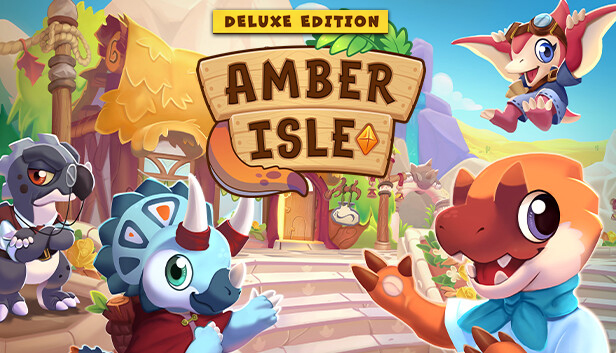
Welcome... to Amber Isle! A shop management/social sim set in a quaint, friendly world of prehistoric animal islanders called Paleofolk!
You’re tasked with running Amber Isle’s only shop. Gather, craft and sell items to meet the needs of your diverse Paleofolk customers. Does your brachiosaur buddy need a canvas as long as his neck? Maybe your microraptor amigo needs a mini-sized chair? Perhaps even some water-proof paper for a plesiosaur in peril? Different customers also have different needs, behaviours and preferences to learn. Haggle, pawn, and counter-offer your way to the top of the Shop Rankings! It’s up to you to run a successful shop to bring Amber Isle back from the brink of fossilisation!
Name, customise and run your shop your way! Use your profits to unlock new shop decor, walls, floors and more. As your shop gains popularity, plan your layout wisely, expand your floorspace and make your shop more efficient.
You can also use your shop profits to help rebuild the island and unlock new areas. Decorate with paths, foliage, and amenities to make Amber Isle an attractive destination. Only then will our Paleofolk pals consider packing up and moving in permanently!
Paleofolk come in a wide variety of shapes, sizes and species- it’s not just dinosaurs! There’s Ice Age mammals, Permian amphibians, marine life, invertebrates, and more! Amber Isle has 48 different Paleofolk to befriend, all with unique personalities, preferences, dialogue, and quests.
Get closer to Paleofolk by hanging out with them and fulfilling their requests. As your friendship grows, Paleofolk will share new upgrades and recipes with you. With your help, they can even build their own stalls, cafes, gardens, and communal areas on Amber Isle!
Express your penchant for the prehistoric by designing your very own Paleofolk! Change your clothes, crests, colours, and more in our character customiser! Pick from 5 body presets; Small Herbivore, Large Herbivore, Raptor, Large Theropod and Mammal. What type of Paleofolk will you be?
Amber Isle is down to its last remaining residents; the grumpy iguanodon Mayor Clawsworth, the peppy pteranodon courier Maple, and the mega-keen megalosaurus intern Adi. In a last-ditch attempt to revitalise Amber Isle, Mayor Clawsworth reluctantly agrees to let you open a shop. During your adventure, you’ll learn more about your new friends, the history of the island and how exactly it fell into disrepair…
Let's stock the shelves and dust the displays, because it's almost opening time for your brand new adventure on Amber Isle!