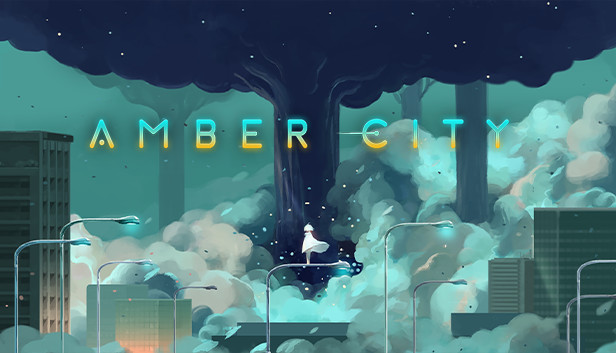
Amber City is an indie puzzler with gorgeous areas and ingenious hand-drawn levels. A girl in a white dress wakes up in a ruined city. She uses her light to light up mysterious cocoons, reverse time, and restore the city to its former splendor. You take on the role of this mysterious girl. As you restore Amber City, more and more of its history will unfurl before you.
CORE GAMEPLAY
A unique puzzler: Consider how much light you have, plan your route forward, and find ways to light cocoons—all to restore Amber City.
New Companions as You Progress: Robots you synchronize with will heed your command and help you solve the puzzles.
Puzzles of Increasing Dimensions and Enemies: When encountering enemies, you must tread carefully and either avoid or control them to pass by unscathed.
New Lights: You will gain new powers over time and come across lights of different colors for a more varied experience.
PLENTY OF CONTENT
9 chapters comprising over 70 carefully designed levels and more than 30 unique mechanics and elements.
Exquisitely hand-drawn 2D areas: All areas are connected, and together they make up Amber City.
Hidden Objects: Collect chips, letters, and activate robots to unravel Amber City's lost history.
Atmospheric music: The soft and elegant music creates a relaxing puzzle experience.
CHALLENGING EVEN FOR AVID PUZZLERS
Collect special chips.
Complete levels in as few moves as possible.
Activate all of the city's robots.
Collect all letters.
Complete all of the above to earn Gold ratings.
windows Minimum
Processor: Intel Core i5-3450 or AMD FX 8300
Memory: 4 GB RAM
Graphics: NVIDIA GeForce GT 730
Storage: 4 GB available space
Directx: Version 9.0c
windows Recommended
OS: Windows 10 64bit
Processor: Intel Core i5 12600 or AMD Ryzen 5 5600X
Memory: 16 GB RAM
Graphics: NVIDIA GeForce GTX 1060
Storage: 8 GB available space
Directx: Version 12
To activate the game, you need a Steam Account
Login or register at the official Steam Website and download Steam client
Install and start application, login with your Account name and Password
Click the Games Menu.
Choose Activate a Product on Steam...
Follow the onscreen instructions to complete the process
After the successful code verification, go to the "MY GAMES" tab and start downloading.
News & Updates
2026-10-02
YXP Extra Event: Give Your Next Rank a Boost!
Earn 50 BONUS YXP with every €10+ order! Boost your progress, climb the ranks, and get more from your next purchase during the YXP Extra Event.