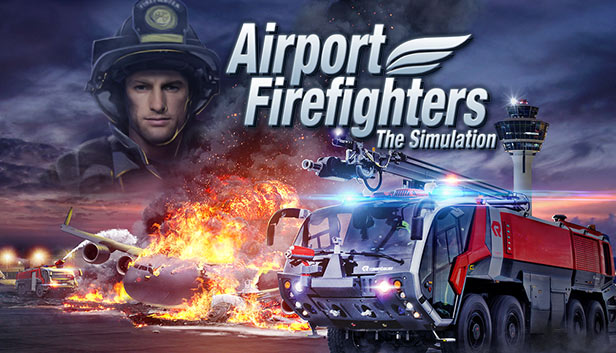
Head out on duty with the entire fire department and take on exciting new missions in "Airport Firefighters: The Simulation". As a member of the busy airport fire department, you and your colleagues work to extinguish large airplane fires and fight through the blazing inferno of the passenger terminal. Drive true-to-life fire engines and tackle blazes with the water cannons. Fight local fires with the fire extinguisher and fog nozzle, squeeze your way through narrow ventilation shafts, and destroy obstacles with your ax to pave your way to freedom.
In your missions you'll be confronted with fallen buildings, burning of-fice wings and gloomy basements flooded with water, as well as downed helicopters and flaming cargo planes too. For the first time in the series, you can control American firefighting vehicles and complete missions as an American firefighter. Would you rather use a gamepad than a keyboard and mouse? No problem!
Objects such as crates and pallets now react to the water jet, letting you pick up, move and destroy them. Various difficulty levels will help you to survive even the diciest of crises. Experience dramatic situations that challenge the hero inside! Wheth-er it's burning engines, an explosion in the passenger terminal or a flaming inferno in the cabin of a jumbo jet – your service counts!
Key Features:
Experience exciting and dramatic situations as a member of the airport fire department
Head out on duty with the entire fire department, driving firefighting vehicles and using them to tame the flames
Fight your way through the blazing inferno of the passenger terminal, collapsed sections of buildings, burning office wings and gloomy basements
Play with either German or American firefighting vehicles and team members
Drive the faithfully recreated Panther vehicles from Rosenbauer International AG
Can also be controlled using a gamepad
Various challenging difficulty levels
Part 3 in the popular Airport Firefighters series
windows Minimum
OS: Windows Vista/7/8
Processor: Dual-Core® or comparable 3 GHz processor
Memory: 4 GB RAM
Graphics: DirectX 10-compatible 3D graphics card with 512 MB VRAM and Pixel Shader 3.0 (AMD HD 4870 or higher)
Storage: 7 GB available space
Directx: Version 10
Sound card: Sound card
Additional notes: keyboard, mouse
windows Recommended
OS: Windows® 8.1 64-Bit
Processor: Quad-Core® or comparable 3.4 GHz processor
Memory: 8 GB RAM
Graphics: DirectX 10-compatible 3D graphics card with 2 GB VRAM and Pixel Shader 3.0 (GeForce GTX 760 or higher)
Storage: 7 GB available space
Directx: Version 10
Sound card: Sound card
Additional notes: keyboard, mouse
To activate the game, you need a Steam Account
Login or register at the official Steam Website and download Steam client
Install and start application, login with your Account name and Password
Click the Games Menu.
Choose Activate a Product on Steam...
Follow the onscreen instructions to complete the process
After the successful code verification, go to the "MY GAMES" tab and start downloading.
News & Updates
2026-06-11
Celebrate FIFA World Cup 2026 with YUPLAY
The FIFA World Cup 2026 is coming in hot this summer and while these coming weeks it is all going to be centered around the best game in the world of sports, we decided to bring you a dedicated YUPLAY giveaway to commemorate the occasion together! This promotional giveaway campaign invites all of our followers to try and predict the exact final scores of selected matches from the World Cup…
First V-Bucks, Now Steam Decks: Why Gaming is Getting More Expensive
Has gaming been steadily becoming more and more expensive lately? In the past months and quarters there has definitely been an increase in pricing in both the software and hardware departments of gaming and this trend has definitely stricken the market in more than a couple of ways. The industry has experienced a trend of gaming price increases as well as more expensive subscriptions…