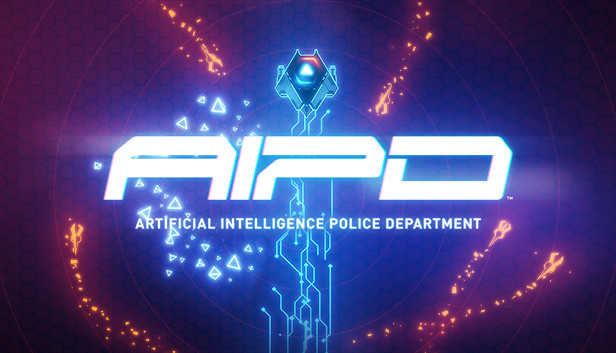
Enter the AI arena and fight evil artificial intelligences with a variety of weapons and modifications. AIPD is a top-down coop twin-stick shooter with a visual style that is an homage to 80s neon art styles, pioneered by games like Minestorm on the Vectrex console system or feature films like TRON.
Enjoy thousands of possible combinations of enemy and arena permutations that give you an unprecedented and nearly unlimited arcade experience. Enjoy the neon graphics of AIPD using the power of Unreal Engine 4 to its limits, combined with a slamming soundtrack and overwhelming sound effects. Choose between weapons like the powerful howitzer, the devastating shotgun or the precise phaser for point attacks.
In AIPD you can choose your favorite combination of game mechanic modules and fight action driven coop battles with up to four players on one screen. Enjoy the freedom to create your own experience and adjust the game to suit your needs and skill level.
Thousands of possible combinations of enemy and arena permutations
Flexible playstyle thanks to customizable weaponry and modifications
Local coop mode with up to four players
Several online leaderboards for fierce competition
Timeless Neon-Art style powered by Unreal Engine 4
Compare your skills online:
Leaderboards
Achievements
Additional features:
Full controller, mouse & keyboard support
Amazing soundtrack
Who is Blazing Badger?
AIPD is the debut title of Blazing Badger, an independent developer based in Frankfurt, Germany. The game is developed by a team of industry veterans who all contributed to the Uncharted, Crysis, Spellforce and Settlers series, as well as Lords of the Fallen and the critically acclaimed 90s advertising game Tony & Friends in Kellogg's Land.
windows Minimum
OS: Win7 32-Bit
Processor: Intel i5 1.8 GHz
Memory: 4 GB RAM
Graphics: Intel HD4000
Storage: 300 MB available space
Directx: Version 10
To activate the game, you need a Steam Account
Login or register at the official Steam Website and download Steam client
Install and start application, login with your Account name and Password
Click the Games Menu.
Choose Activate a Product on Steam...
Follow the onscreen instructions to complete the process
After the successful code verification, go to the "MY GAMES" tab and start downloading.
News & Updates
2026-06-11
Celebrate FIFA World Cup 2026 with YUPLAY
The FIFA World Cup 2026 is coming in hot this summer and while these coming weeks it is all going to be centered around the best game in the world of sports, we decided to bring you a dedicated YUPLAY giveaway to commemorate the occasion together! This promotional giveaway campaign invites all of our followers to try and predict the exact final scores of selected matches from the World Cup…
First V-Bucks, Now Steam Decks: Why Gaming is Getting More Expensive
Has gaming been steadily becoming more and more expensive lately? In the past months and quarters there has definitely been an increase in pricing in both the software and hardware departments of gaming and this trend has definitely stricken the market in more than a couple of ways. The industry has experienced a trend of gaming price increases as well as more expensive subscriptions…