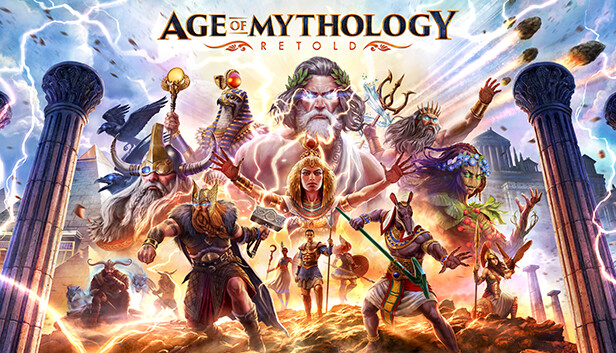
From the creators of the award-winning Age of Empires franchise, Age of Mythology: Retold goes beyond history to a mythical age where gods, monsters, and humans collide. Combining the best elements of the beloved Age of Mythology with modern real-time strategy design and visuals, Retold is an epic and innovative experience for old and new players alike. Secure your domain, command legendary monsters, and call upon the power of the gods to crush your enemies.
Will you become Mythic?
Call Upon the Gods
Choose your gods from the Greek, Norse, Egyptian, and Atlantean pantheons. Devastate your enemies by summoning powerful lightning storms, earth-shattering quakes, and even the famed Nidhogg dragon. Or call upon nourishing rains and protective Dryads to help your people grow & prosper.
Unleash the Monsters
Unleash Centaurs, Trolls, Mummies, and more. From bejeweled crocodiles who harness the power of the sun to the mighty one-eyed Cyclops, you will command diverse units inspired by the world’s great mythologies.
An Epic Mythological Universe
Embark on multiple campaigns spanning 50-missions that take you across a vast, mythical world: besiege the mighty walls of Troy, battle Giants in the frozen wastes of Midgard, and discover the mysteries of Osiris in the shifting sands of Egypt. Become a hero of myth—or even a god.
Better with Friends
Play with your friends, either head-to-head or against the advanced AI on dozens of randomly generated maps and scenarios for limitless re-playability.
Processor: Intel® i3-4130 or AMD FX 4350 at 2.4GHZ+ with 2 cores / 4 threads and AVX support
Memory: 8 GB RAM
Graphics: NVIDIA® GeForce® GTX 645 or AMD Radeon™ Vega 8 or Intel® Iris Graphics 550 or better
Storage: 25 GB available space
Directx: Version 12
windows Recommended
OS: Windows 10 64bit
Processor: 3.6 Ghz i5 or greater or AMD equivalent and AVX support
Memory: 16 GB RAM
Graphics: Nvidia® GeForce® GTX 970 or AMD Radeon™ RX 570 or better
Storage: 25 GB available space
Directx: Version 12
To activate the game, you need a Steam Account
Login or register at the official Steam Website and download Steam client
Install and start application, login with your Account name and Password
Click the Games Menu.
Choose Activate a Product on Steam...
Follow the onscreen instructions to complete the process
After the successful code verification, go to the "MY GAMES" tab and start downloading.
News & Updates
2026-07-15
Celebrate FIFA World Cup 2026 with YUPLAY
The FIFA World Cup 2026 is coming in hot this summer and while these coming weeks it is all going to be centered around the best game in the world of sports, we decided to bring you a dedicated YUPLAY giveaway to commemorate the occasion together! This promotional giveaway campaign invites all of our followers to try and predict the exact final scores of selected matches from the World Cup…
The Best Warhammer 40K Games Every Fan Should Play (Part II)
Last time we discussed many awesome gaming titles that belong in the Warhammer 40k universe and even though we previously covered a lot of battlegrounds, there are still plenty of others left to be overviewed, this is why we are happy to deliver on our given promise and are bringing you the other hit games that we would recommend to check out on Steam, if you have not done so already…
Some in-game text is small and may be difficult to read
This game does not default to external Bluetooth/USB controllers on Deck, and may require manually switching the active controller via the Quick Access Menu
All functionality is accessible when using the default controller configuration
This game shows Steam Deck controller icons
This game's default graphics configuration performs well on Steam Deck