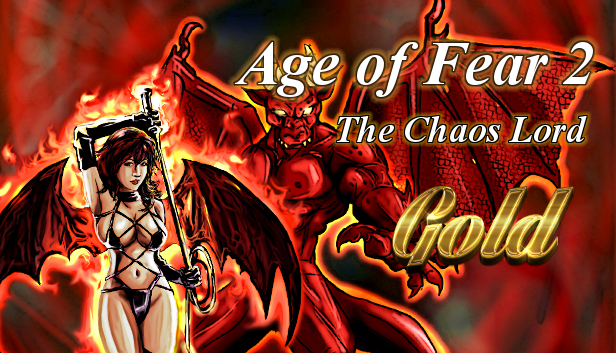
Age of Fear 2: The Chaos Lord is a refreshingly fun strategy title that marries a tabletop wargame with elements of RPG. The game features a huge variety of units, items, a novel hex-free battle system, morale, and flexible multiplayer.
Key Features:
Two long scenarios - play as a manipulative succubuss or a brutal orc warchief in fully voiced story driven campaigns!
Hex-free battle system - units are no longer constrained to artificial grids. Unit's size matters too.
Steam Workshop integration - create your own world and share with the community!
Easy to Play but Hard to Master - Age of Fear is very easy to pick up but with deep and emergent strategy.
Low hardware requirements - the game will even work on that old laptop of yours.
Permanent death - all characters that fall in a battle will stay dead - unless an evil Necromancer raises them as Zombies!
Diverse enemy roster - game features 160+ unique units with over 250 different spells and skills.
AI behaviour is modelled on a neural network system and influence maps. Age of Fear has probably one of the most advanced strategic AI's ever created!
Items and artifacts - there are over 100 unique items in Age of Fear, which are randomly distributed. Items not only give bonuses, but also unlock powerful skills and spells.
windows Minimum
OS: Windows XP
Processor: 1 GHz
Memory: 1 GB RAM
Storage: 5 GB available space
windows Recommended
Processor: 2 GHz
Memory: 2 GB RAM
macosx Minimum
OS: 10.7 (Yosemite)
Processor: 1 GHz
Memory: 1 GB RAM
Storage: 5 GB available space
macosx Recommended
Processor: 2 GHz
Memory: 2 GB RAM
linux Minimum
OS: All distributions
Processor: 1 GHz
Memory: 1 GB RAM
Storage: 5 GB available space
linux Recommended
Processor: 2 GHz
Memory: 2 GB RAM
To activate the game, you need a Steam Account
Login or register at the official Steam Website and download Steam client
Install and start application, login with your Account name and Password
Click the Games Menu.
Choose Activate a Product on Steam...
Follow the onscreen instructions to complete the process
After the successful code verification, go to the "MY GAMES" tab and start downloading.
News & Updates
2026-10-23
BOO! Giveaway - Win a Game of Your Choice
Make a purchase of any amount between 23.10.2026 15:00 CET and 28.10.2026 15:00 CET, submit your Order ID in our Gleam and get a chance to win a FREE GAME (up to 50€).…
This game does not default to external Bluetooth/USB controllers on Deck, and may require manually switching the active controller via the Quick Access Menu
All functionality is accessible when using the default controller configuration
This game shows Steam Deck controller icons
In-game interface text is legible on Steam Deck
This game's default graphics configuration performs well on Steam Deck