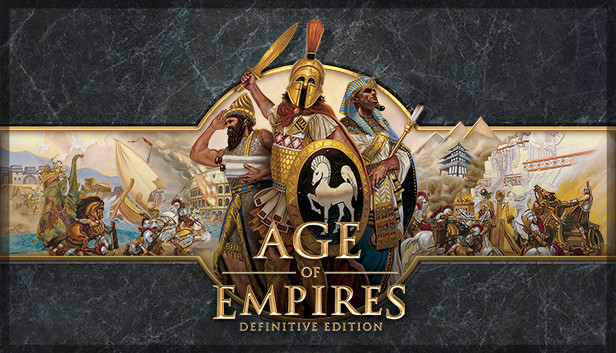
Age of Empires, the pivotal RTS that launched a 20-year legacy returns in definitive form for Windows 10 PCs. Bringing together all of the officially released content with modernized gameplay, all-new visuals and a host of other new features, Age of Empires: Definitive Edition is the complete RTS package. Engage in over 40 hours of updated campaign content with new narration and pacing, jump online in up to 8-player battles with new competitive features and modes, experience 4K HD visuals with overhauled animations, get creative with the scenario builder and share your creations. There’s never been a better time to jump in to Age of Empires. Welcome back to history.
Processor: 1.8 Ghz+ Dual Core or greater i5 or AMD equivalent
Memory: 4 GB RAM
Storage: 20 GB available space
Directx: Version 11
Network: Broadband Internet connection
windows Recommended
OS: Windows 10 64bit
Processor: 2.4 Ghz i5 or greater (4 HW threads)
Memory: 16 GB RAM
Graphics: Nvidia GTX 650; AMD HD 5850
Storage: 20 GB available space
Directx: Version 11
Network: Broadband Internet connection
To activate the game, you need a Steam Account
Login or register at the official Steam Website and download Steam client
Install and start application, login with your Account name and Password
Click the Games Menu.
Choose Activate a Product on Steam...
Follow the onscreen instructions to complete the process
After the successful code verification, go to the "MY GAMES" tab and start downloading.
News & Updates
2026-07-20
Our Way of Saying Thank You
Great games are nothing without loyal gamers and we're grateful to have such an amazing community that supports our store. That’s why we’re launching our special “YUPLAY Is Feeling Generous” campaign as a way of saying “Thank you”. During this campaign, with every order over €30 you will receive a free 10% discount code that can be used during your next purchase…
The FIFA World Cup 2026 is coming in hot this summer and while these coming weeks it is all going to be centered around the best game in the world of sports, we decided to bring you a dedicated YUPLAY giveaway to commemorate the occasion together! This promotional giveaway campaign invites all of our followers to try and predict the exact final scores of selected matches from the World Cup…
Some functionality is not accessible when using the default controller configuration, requiring use of the touchscreen or virtual keyboard, or a community configuration
This game sometimes shows mouse, keyboard, or non-Steam-Deck controller icons
Entering some text requires manually invoking the on-screen keyboard
Some in-game text is small and may be difficult to read
This game's default graphics configuration performs well on Steam Deck