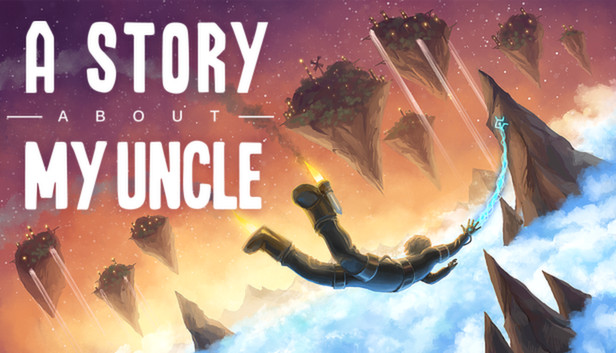
A Story About My Uncle is a first person platforming adventure game about a boy who searches for his lost uncle, and ends up in a world he couldn’t imagine existed. Take help of your uncle’s mysterious inventions that let you jump incredibly high and far through beautiful scenery, uncover clues to your uncle’s whereabouts, and meet fantastical creatures that will help you on your journey.
The movement in A Story About My Uncle is a crucial part of its core gameplay – focusing on swinging through the world with a grappling hook that gives the player a wonderful sense of speed and freedom. Soar through a game world with a unique art style and a mysterious story that unravels before you.
Key features
Grappling hook: An empowering mechanic that gives you a sensation of speed, flow and vertigo like you’ve never experienced before.
Explore the world: Visit a wonderful and exciting world - from paradisal caves, to lost civilizations and harsh, mystical landscapes.
Emphasis on story: While searching for your uncle you will meet creatures with stories and fates of their own. Take your time to explore the world to dig deeper into the narrative.
Non-violent: A Story About My Uncle is a First Person game, but it is driven by non-violent gameplay and a heavy emphasis on story and atmosphere.
windows Minimum
OS: Windows XP (SP3), Windows Vista (SP2), Windows 7, Windows 8
Processor: Intel Core 2 Duo, AMD Athlon X2, or equal at 1.6GHz or better
Memory: 2 GB RAM
Graphics: DirectX 9.0c-compatible, SM 3.0-compatible
Storage: 2 GB available space
Directx: Version 9.0c
Sound card: DirectX 9.0c-compatible, 16-bit
windows Recommended
OS: Windows 7 or 8
Processor: QuadCore 2.0 GHz+
Memory: 4 GB RAM
Graphics: DirectX 9.0c-compatible, SM 3.0-compatible, 1024MB VRAM+
Storage: 2 GB available space
Directx: Version 9.0c
Sound card: DirectX 9.0c-compatible, 16-bit
To activate the game, you need a Steam Account
Login or register at the official Steam Website and download Steam client
Install and start application, login with your Account name and Password
Click the Games Menu.
Choose Activate a Product on Steam...
Follow the onscreen instructions to complete the process
After the successful code verification, go to the "MY GAMES" tab and start downloading.
News & Updates
2026-10-23
BOO! Giveaway - Win a Game of Your Choice
Make a purchase of any amount between 23.10.2026 15:00 CET and 28.10.2026 15:00 CET, submit your Order ID in our Gleam and get a chance to win a FREE GAME (up to 50€).…
This game does not default to external Bluetooth/USB controllers on Deck, and may require manually switching the active controller via the Quick Access Menu
All functionality is accessible when using the default controller configuration
This game shows Steam Deck controller icons
In-game interface text is legible on Steam Deck
This game's default graphics configuration performs well on Steam Deck