This content requires the base game in order to play:The Sims 4
Game Description
System Requirements
Activation Details
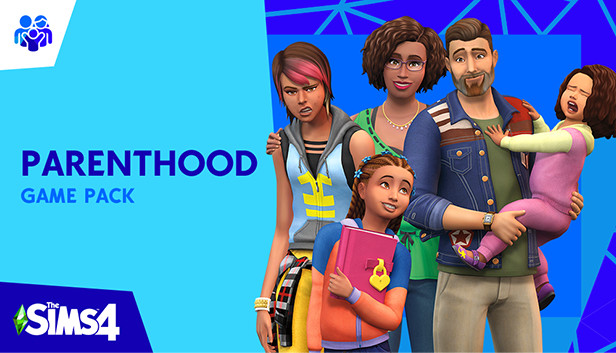
Develop your Sims’ parenting skills to help shape their children’s lives into adulthood with The Sims™ 4 Parenthood. Choose when to discipline or encourage child behaviors, teach life values, and leave a lasting impact on their future. Experience fun family activities, and personalize your household with new home décor and family fashion.
Key Features:
Develop parenting skills — Level up your Sims’ parenting skills to satisfy their child’s needs and influence their behaviors. Gain new abilities through experience and choosing when to discipline bad actions, encourage good behavior, or just let kids be kids.
Shape your Sim's childhood — The decisions you make influence how your Sim parents and leaves a lasting impact on their child’s future. Each choice shapes their personality, affects their traits, influences their family relationships, and guides their path into adulthood.
Enjoy new family activities — Gather your Sim’s family to participate in new activities and spend quality time with each other. Sims of all ages can work together to complete a variety of school projects, express their creativity using construction blocks, or volunteer their time for good.
Personalize your household — Customize your Sims’ looks and their home with new family fashion and build items. Give the kids’ bedrooms extra personality, remodel the kitchen to feel homier, and let your Sims express their sporty or artistic sides with new outfits.
windows Minimum
OS: 64 Bit Required. Windows 7 (SP1), Windows 8, Windows 8.1, or Windows 10
Processor: 1.8 GHz Intel Core 2 Duo, AMD Athlon 64 Dual-Core 4000+ or equivalent (For computers using built-in graphics chipsets, the game requires 2.0 GHz Intel Core 2 Duo, 2.0 GHz AMD Turion 64 X2 TL-62 or equivalent)
Memory: 2 GB RAM
Graphics: NVIDIA GeForce 6600 or better, ATI Radeon X1300 or better, Intel GMA X4500 or better.
Once the launcher is installed and has started, log in with your username/password
Once logged in, select ‘Library’ from the left Menu, then click on ‘+ Redeem Code’
A window will prompt you to enter the code you purchased on Yuplay.
EA will authenticate your code after a few minutes.
The game is now visible in your list.
Click it to start the download.
News & Updates
2026-03-30
Join the Easter Raid Party and Win a Free Game
The Easter season is here and since we like this part of the year so much, we have made sure to have prepared a special YUPLAY promotional campaign for those of you that are ready to go into the Raid Party and grab a FREE gaming title. All you have to do is make an order above 20€ between 02.04.2026 15:00 CET and 08.04.2026 15:00 CET, and you will get a FREE game as ab Easter present from us…
Early Spring season has definitely delivered on some exciting updates, game announcements, and promising releases to be on the lookout for until the end of this year. So, let’s immediately have a better look at some of the more outstanding news that happened on the gaming scene during the month of March 2026 that we decided to cover for you…